As a member of BELRAG, you have access to other BELRAG members around the world who have opted in to the public directory, allowing members to see each other, where they are from, and send an email. This can be a wonderful tool to reach out to other Rotarians who have an interest in basic education and literacy and find out what they are doing in their clubs and districts.
Follow these easy steps to be included in the public member directory:
- Login to BELRAG.org and click on Member Area, located next to your name in the top right of the page. This will bring up your profile.
- Click Edit My Profile.
- Under your membership ID and term, are six tabs, beginning with Details. Click on the Details tab and edit your contact info to include our searchable directory address. This is your city and country (and state if you are in the US). This does not show your personal address. Be sure to click on SAVE.
- Next, click on the Directory tab.
- Scroll down to Public Website Directory Settings on the right and click on Edit.
- Default on each of the items is No. Click yes for Opt in to the Public Directory and any additional contact information you want to share. At the very minimum, and in order for this to work, click yes on show searchable directory address. This will show where you are located. You can even include your social media accounts. Again, be sure to click on SAVE.
If you follow the above steps, and upload a photo, here is what your public directory card will look like:
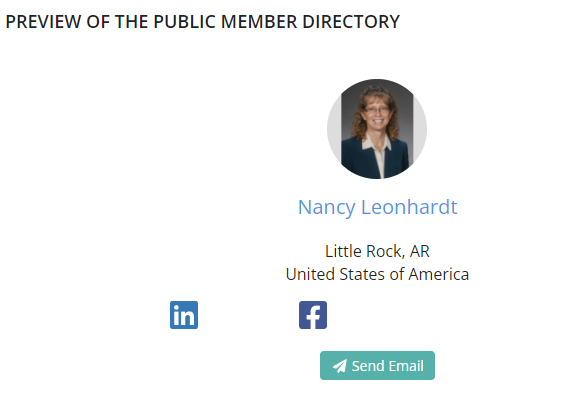
Please help us make this website more robust and a great benefit to your BELRAG membership. The directory is a wonderful tool to reach out to fellow Rotarians and learn more about BEL projects taking place around the world. If you have questions or problems, contact Nancy at wlrrotary@gmail.com.
Watch for next month’s installment on the benefits of utilizing BELRAG.org as we discuss showcasing your BEL projects.